
Word processor · Sheets · Slides Photo · Illustration · Video
Six editors in one office suite. Each editor has its own AI agent that writes and fixes with you. Everything is free to use without signing up, and soon you can install it on your own computer.
- Word processorXenWord
- SpreadsheetXenSheet
- SlidesXenSlide
- Photo editingXenImage
- IllustrationXenIllust
- Video editingXenMovie
- Free, no sign-up needed
- AI chat: 10 free turns a day after sign-in
- Hangul (HWP, HWPX) files too
- 12 languages







What do you want to do?
Pick the job and the right editor opens. The first screen lets you start a new file, open one, or ask the agent.
- Write a letter or reportXenWord document editor
- Keep a list or budgetXenSheet spreadsheet editor
- Make a presentationXenSlide slide editor
- Fix a photo, add textXenImage photo editor
- Draw a logo or posterXenIllust illustration editor
- Trim and join videoXenMovie video editor
- Record and tidy up soundThe sound window in XenMovie
- Make a picture from wordsAI pictures · adults, 5 a day
- Write a paper, report or proposalXenPaper writing studio
For experienced users
- Formats
- Documents: open and save HWP · HWPX · DOCX, also save ODT · RTF · Markdown · PDF · sheets XLSX · CSV · slides PPTX · export photos as PNG · JPEG, illustrations as SVG · PDF, video as MP4 (H.264)
- Shortcuts
- Ctrl+S save · F12 save as · Ctrl+Z undo · Ctrl+F find · F5 present · illustration tools V select · P pen · T type · M rectangle · L ellipse
- Open by address
Every editor has its own AI agent
Press the AI button at the top and that editor's agent greets you in a pane on the right. Common jobs are one button; ask for anything else in writing or out loud.
 XenWord
YunaAI document agent
Drafts text, then polishes, summarizes or translates what you select.
- Draft
- Polish
- Summarize
- Continue
- Spelling
- Translate (KO↔EN)
 XenSheet
SenaAI data agent
Makes tables, explains formulas and summarizes data.
- Make a table
- Formula help
- Summarize data
- Tidy the table
 XenSlide
SuaAI presentation agent
Writes an outline and a speaker script, sharpens titles.
- Slide outline
- Speaker script
- Better title
- Summarize
- Polish
 XenImage
RinaAI photo agent
Makes photos brighter and sharper, and removes backgrounds.
- Brighter
- Auto fix
- Black & white
- Sharpen
- Remove background
 XenIllust
LucaAI design agent
Lines shapes up, groups them and fits the artboard.
- Center
- Group
- Bring to front
- Duplicate
- Fit artboard
 XenMovie
HongpeiAI video agent
Cuts at the playhead and evens out sound and framing.
- Cut at playhead
- Louder
- Quieter
- Fit to frame
- Match loudness
 XenMovie Sound
AishaAI sound agent
Reduces noise, removes silence and evens out loudness.
- Even out loudness
- Reduce noise
- Remove silence
- Fade in
- Fade out
- Only AI chat needs a sign-in
- Watch an ad and chat is free
- The agent's opening greeting is free
- Ask by speaking into the mic
- Undo any change with one press
- Inserted text is marked ‘AI-generated’
- Safety filter on teen accounts
What's new
Recently added, and all ready to use now.
- New
Open and save Hangul (HWP, HWPX)
Open a Hangul file in XenWord, edit it, and save it again as HWP or HWPX. Word (DOCX) and PDF work too.
- New
Edit together from a link
Share a XenWord document by link and edit it with others at the same time. Each link gives edit, comment or view rights.
- New
Save to Google Drive
Put documents, sheets and slides straight into your Google Drive. Link your Google account once, the first time.
- New
A start screen for your purpose
Each editor opens with new, open and ask-the-agent choices, plus size cards that fit what you want to make.
- New
Agents that speak first
Open the AI pane and the agent greets you and says what it can do. That greeting is free.
- New
Ask by voice, undo at once
Press the mic button and ask out loud. If you don't like a change the agent made, press ‘Undo’.
Three steps
Open
Pick a job and the editor opens right away, no sign-up needed. Choose new or open on the start screen. For now it runs in your browser; an installer for your own computer is coming soon.
Save
When you're done, ‘File › Save’ saves to your computer or Google Drive. Opening and saving files on your computer needs no sign-in.
Write with the agent
Press the AI button at the top, pick a button or type or say what you need, and press ‘Insert into the document’ when you like it. Agent chat needs a sign-in: 10 free turns a day, and 10 more if you watch an ad.
Six editors, one screen
Docs, sheets and slides open as full editors with a ribbon; photos, illustrations and video each open in an editor of their own. Sound is tidied up in the sound window inside XenMovie.
XenWord
Write documents with a Word-style ribbon.
- Opens and saves Hangul (HWP, HWPX) · DOCX
- Also saves ODT · RTF · Markdown · PDF
- Edit together from a link · comments
XenSheet
Sort out tables and calculate with formulas, Excel-style.
- Opens XLSX · XLS · ODS · CSV
- Saves Excel (XLSX) · CSV · PDF
- Saves to Google Drive too
XenSlide
Build a deck, PowerPoint-style.
- Opens and saves PowerPoint (PPTX)
- Export to PDF
- Press F5 to present
XenImage
Fix photos with layers and brushes, add text.
- Opens PSD · PNG · JPEG · WebP
- Layers · brush · text · crop
- AI pictures from the top AI button (adults, 5 a day)
XenIllust
Draw logos and posters with the pen and shapes.
- Opens and saves SVG
- Pen · shapes · text · layers
- Export to PNG · PDF
XenMovie
Trim and join clips into one video.
- Trim and join on a timeline
- Sound window: record · reduce noise · match loudness
- Export to MP4 (H.264)
Photo, illustration, video and sound editing too
Fix photos, illustrations, video and sound on the same account, for free.
- Layers
- Brush
- Eraser
- Rectangle · circle
- Text
- Crop (ratio · free)
- Adjust
- Open · paste photos
- Download PNG · JPG
- Draw with the pen
- Trim video
- Add music
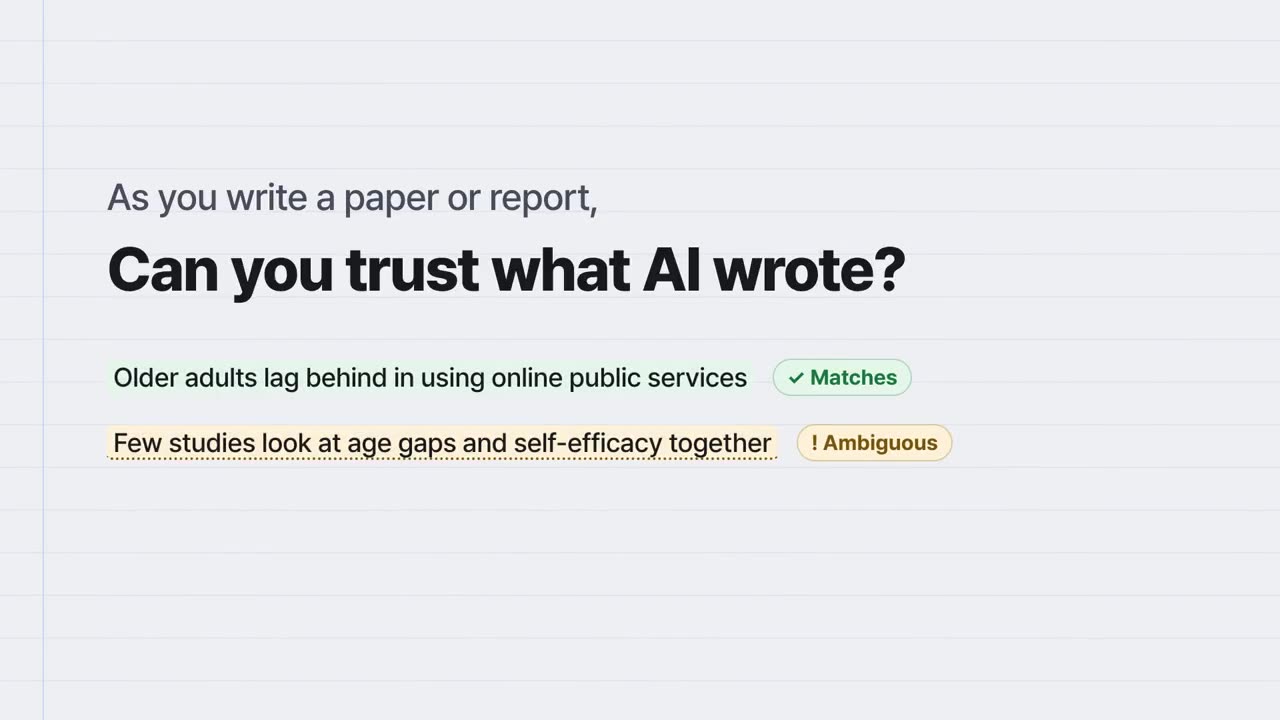
Papers, reports and proposals in XenPaper
A writing studio on the same account as XenOffice. Write with an AI agent, and polish tables and figures in XenSheet and XenSlide.
- Studios for papers, reports and proposals
- Bring in Hangul (HWP, HWPX) and Word (DOCX) files
- AI text you insert is free up to 4 A4 pages per piece, then 15 crystals a page
- 30 free chats with the agent a day
- One free paper review a month
In other apps too, and in 12 languages
Inside Word, Excel and PowerPoint too
Install the add-in and the same AI agent works with you from a side pane in Word, Excel and PowerPoint. Chat gives 10 free turns a day, and 10 more if you watch an ad.
See the add-in guideEditing is free, no sign-up needed
Editing is all free and needs no sign-in. Only chatting with an AI agent needs a sign-in: 10 free turns a day, and watching an ad adds 10 more.
All six editors are free
Word processor, sheets, slides, photo editing, illustration and video editing, with no sign-up. Opening and saving files is free too.
Only AI chat needs a sign-in
Only chat, when you ask an AI agent in writing and get an answer, needs a sign-in. A free account gets 10 turns a day.
The agent's opening greeting is free.
Watch an ad for 10 more
When today's free turns run out, watch a short ad for 10 more turns with the AI agent.
Install on your computer
We're preparing a Windows and Mac program you open straight from your desktop. Until then it works the same in your browser.
Coming soon
Two editions: personal, and for agencies and companies
Working alone at home and handling internal documents at a public agency or company need different things.
Personal
Anyone · home · school · small shops
- All six editors free, no sign-up needed
- AI chat: 10 free turns a day, 10 more with an ad
- In your browser now, installable on your computer soon
Public agencies and companiesComing soon
Installed on your own server
- XenOffice installed whole on your organization's server
- Documents and AI chat never leave your server, so personal data and documents don't leak
- AI agents run on your server too
Made to be trusted
Your files stay yours
Docs, sheets and slides save with ‘File › Save’ as HWP · HWPX · DOCX · XLSX · PPTX files on your computer or in your Google Drive. The photo, illustration and video editors save with File › Save and Export to your computer. AI picture work is kept in this browser first and, signed in, on the server too, so you can open it from ‘My files’ on another device.
Safe for teens too
Teens can use the editors and the AI agent. Teen accounts get a safety filter. Making pictures from words is for adult accounts for now.
A fingerprint with every save
Each time you save a document, sheet or slide, the file's SHA-256 fingerprint is registered on the C2PA site, so you can later check whether a file is the same one.
AI text is labeled
Text the AI writes is marked ‘AI-generated · XenOffice’ when you insert it. AI can be wrong, so check before inserting.
Open your first document now
Use all six editors for free, no sign-up needed.
Start for free